



How to recognize and avoid tech support scams
A tech support scam is a form of Internet fraud that is currently gaining momentum on the Internet. The scam implements social engineering and fear tactics in order to get the victim to take the bait.


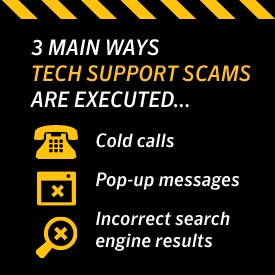
A tech support scam is a form of Internet fraud that is currently gaining momentum on the Internet. The scam implements social engineering and fear tactics in order to get the victim to take the bait. There are three main ways this scam is executed- via cold calls, pop-up messages on the computer and incorrect search engine results.
Cold Calls
Tech support cold calls are when an individual calls the target, claiming to be from a reputable company and states that they have found malware on the computer. The criminal will then try to get the user to install a type of remote desktop software under the pretext of removing the infestation, which would allow the attacker access to the computer in order to install real malware. In addition to attempting to install malware on the machine, these scammers will often ask for a fee to fix the issue.
Pop-Up Warnings
Tech support pop-up warnings occur when a user is browsing the Internet. Usually, the target is viewing a website that contains links to related content, and when the user clicks on one of those links it will redirect them to a website hosting the pop-ups. These pop-ups can be terribly intrusive, making it difficult for the user to close the window. The pop-ups will then display a message stating that the computer is infected with malware and offer a phone number for help with removing the malware. Often, these pop-ups will look like they come from a legitimate source, such as our own Norton products.
Advertising/ Paid Search/ Confusing Search Results:
Fraudulent companies frequently use paid search to advertise their support services. When searching online, it is possible to receive different search results based on the search engine you are using. The following are examples on how to make sure that you always select Official Norton Support:
Motivation:
The main motives behind these scams are to extort the victim to gain money as well as installing malware such as keyloggers or backdoor Trojans in order to gain access to personal information.
How to Identify and Avoid Pop-Up and Cold-Calling Scams:
Pop-ups:
Examine the message closely- look for obvious signs of fraud such as poor spelling, unprofessional imagery, and bad grammar:
You can also do an Internet search for the phone number that is listed in the pop up to verify its legitimacy:
There are many websites out there where people report scammers. If it is indeed a scam, there will be an abundance of search results, often on the first page of the search, that clearly point out the scammer:
Cold-call telephone scams:
You will never receive an unsolicited call from Norton Support to fix issues with your computer for money. You will only receive a call if you request it:
The Official Norton Support webpage is located at https://support.norton.com.
Most importantly, official Norton Support is always free to current subscribers.
If you do happen to get a pop-up on your computer from an official Norton product, it may look like the examples below, depending on what product you may have. Keep in mind that when the software detects a threat, it will never ask you to call support via a toll-free number:
What to do if you’ve been scammed:
- Change your passwords: to your computer, to financial institutions, to your Norton Account and any other password-protected websites that you visit.
- Run a Full System Scan for viruses on your computer.
- Contact your bank to report that there has been fraud performed on your account.
- Use Norton Power Eraser, which uses a more intensive method to scan your computer in order to detect more complex threats that a traditional antivirus program can’t detect.
- File a complaint with the appropriate anti-fraud bureau:
USA - Federal Trade Commission (FTC)
Canada - Canadian Anti-Fraud Centre
UK - National Fraud and Cyber Crime Reporting Centre; unsolicited calls
There are many different ways to get official Norton support:
In order to make sure you are visiting the correct Norton support page, be sure to type in support.norton.com in the URL bar of your browser.
You can use Norton Support: Live Chat, which is the fastest way to solve your issue.
There is also the Norton Forums, where you can browse through a library of Top Solutions around common problems.
Request help via Norton’s phone support.
Additionally, you can stay up-to-date on the most current threats and scams on the Official Norton Protection Blog.
Editorial note: Our articles provide educational information for you. Our offerings may not cover or protect against every type of crime, fraud, or threat we write about. Our goal is to increase awareness about Cyber Safety. Please review complete Terms during enrollment or setup. Remember that no one can prevent all identity theft or cybercrime, and that LifeLock does not monitor all transactions at all businesses. The Norton and LifeLock brands are part of Gen Digital Inc.






Want more?
Follow us for all the latest news, tips and updates.